
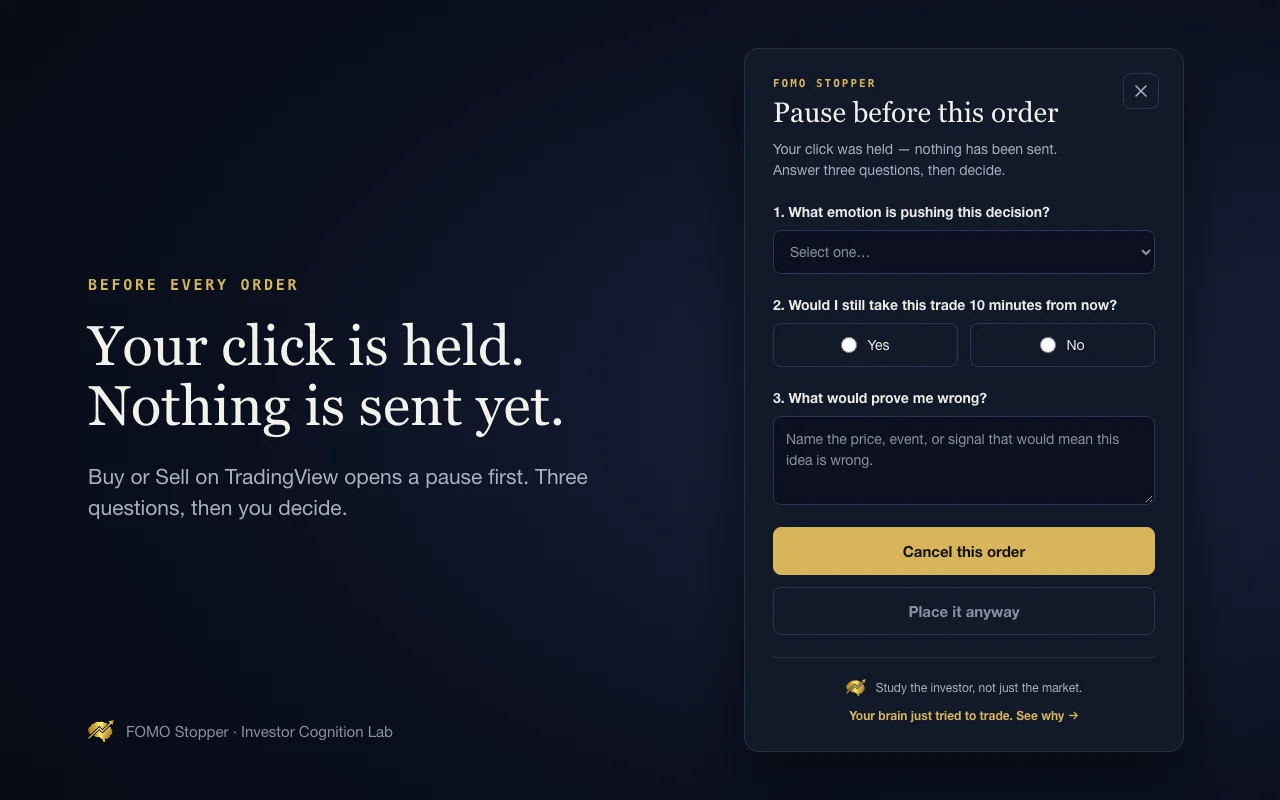
Your click is held
Click a supported Buy or Sell submit button on TradingView. A pause appears before the click continues.
FREE CHROME EXTENSION
FOMO Stopper
FOMO Stopper holds supported Buy or Sell clicks on TradingView and asks three questions. Notice the impulse, check your plan, then decide.
Desktop Chrome · TradingView · Local data storage

Three questions. One deliberate decision.
HOW IT WORKS
Click a supported Buy or Sell submit button on TradingView. A pause appears before the click continues.
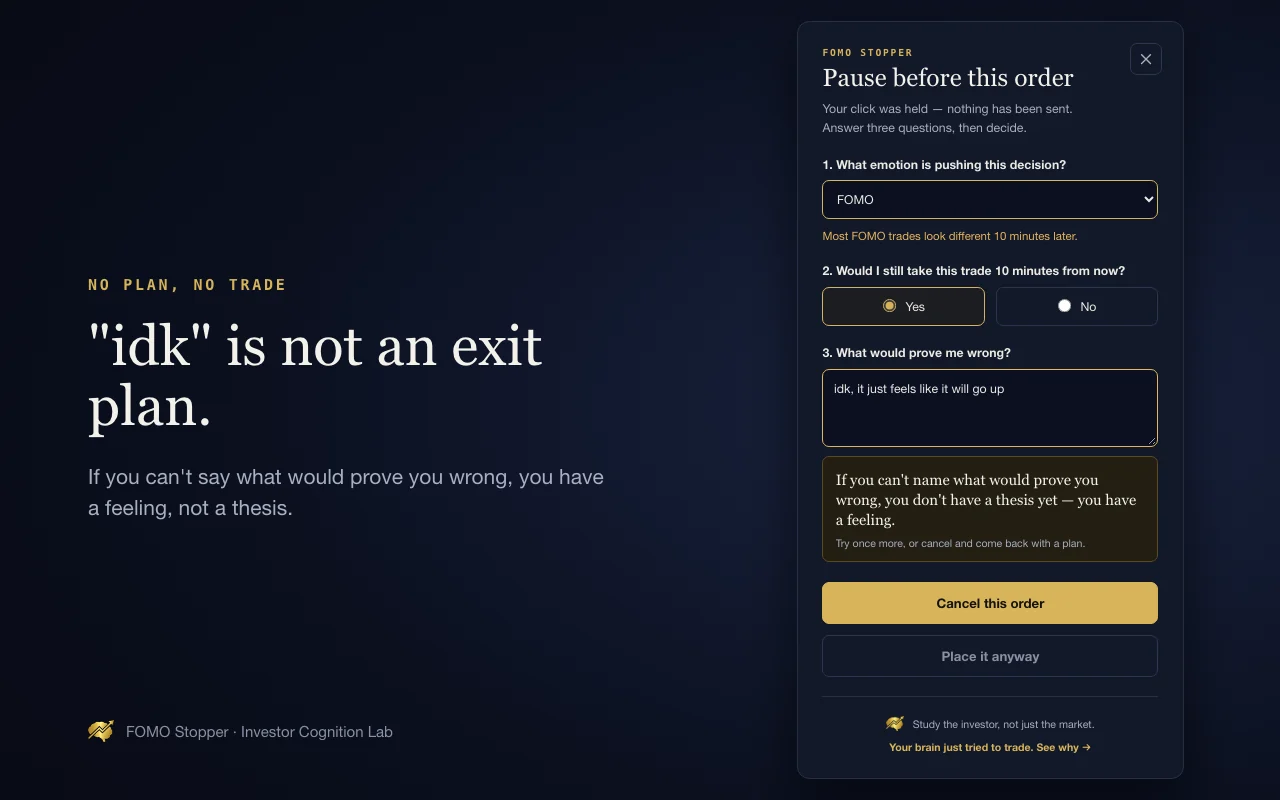
Name the emotion, check the 10-minute test, and write what would prove you wrong.
Cancel, or continue after answering and an optional 10-second countdown.
Start with Paper Trading. Check your exact order workflow before relying on the pause. The extension recognizes click events on supported buttons; keyboard shortcuts and some broker panels may bypass it. It is a reflection aid, not an order-safety control.
THE PRACTICE, BUILT IN
Label the feeling before it becomes the trade.
Read: Name the EmotionStep back from urgency and check whether the idea still fits your plan.
Read: The FOMO CheckWrite a specific price, event, or signal that would challenge your thesis.
Read: Write ‘Wrong If’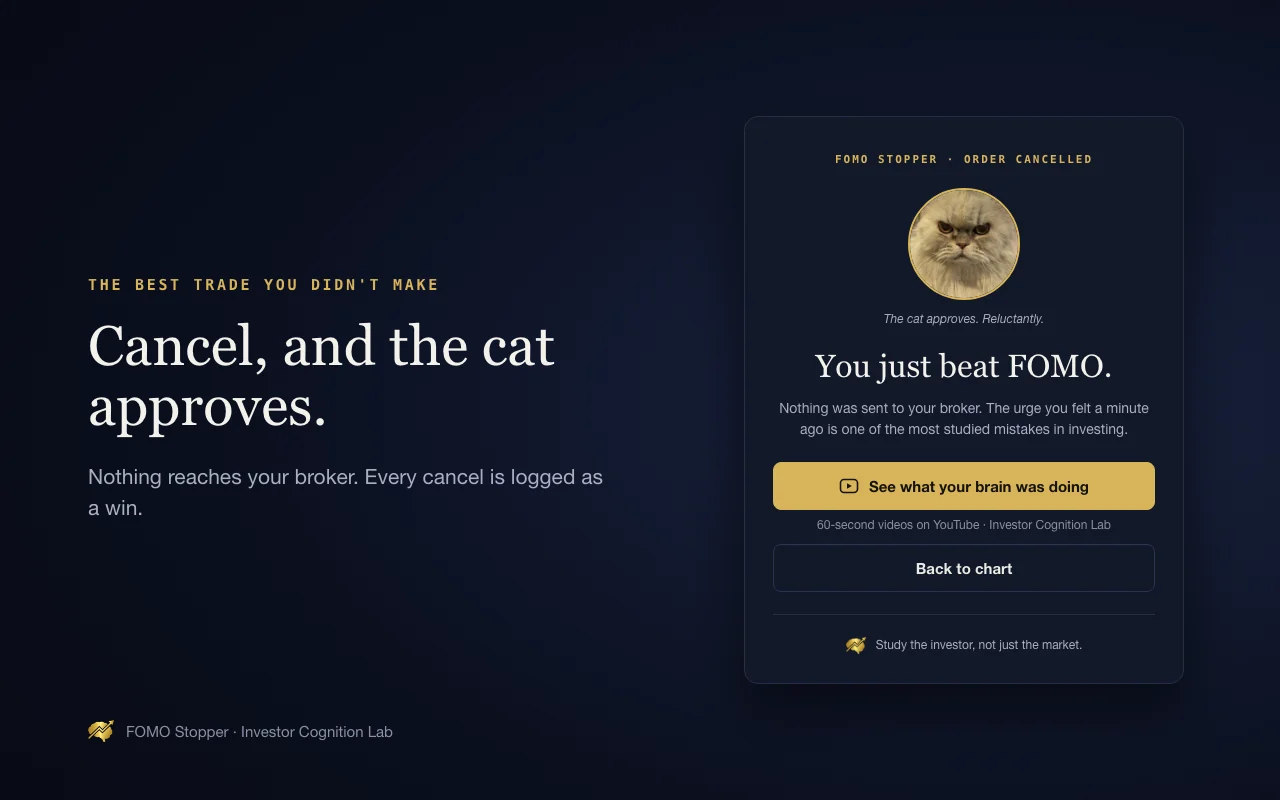
WHEN YOU CANCEL

Cancel a paused click and FOMO Cat shows up. He approves. Reluctantly.
The cancelled decision is recorded in your local stats. Sometimes the most useful action is giving yourself room to reconsider.
A cancellation is a process checkpoint; it does not prove a trade would have lost money.
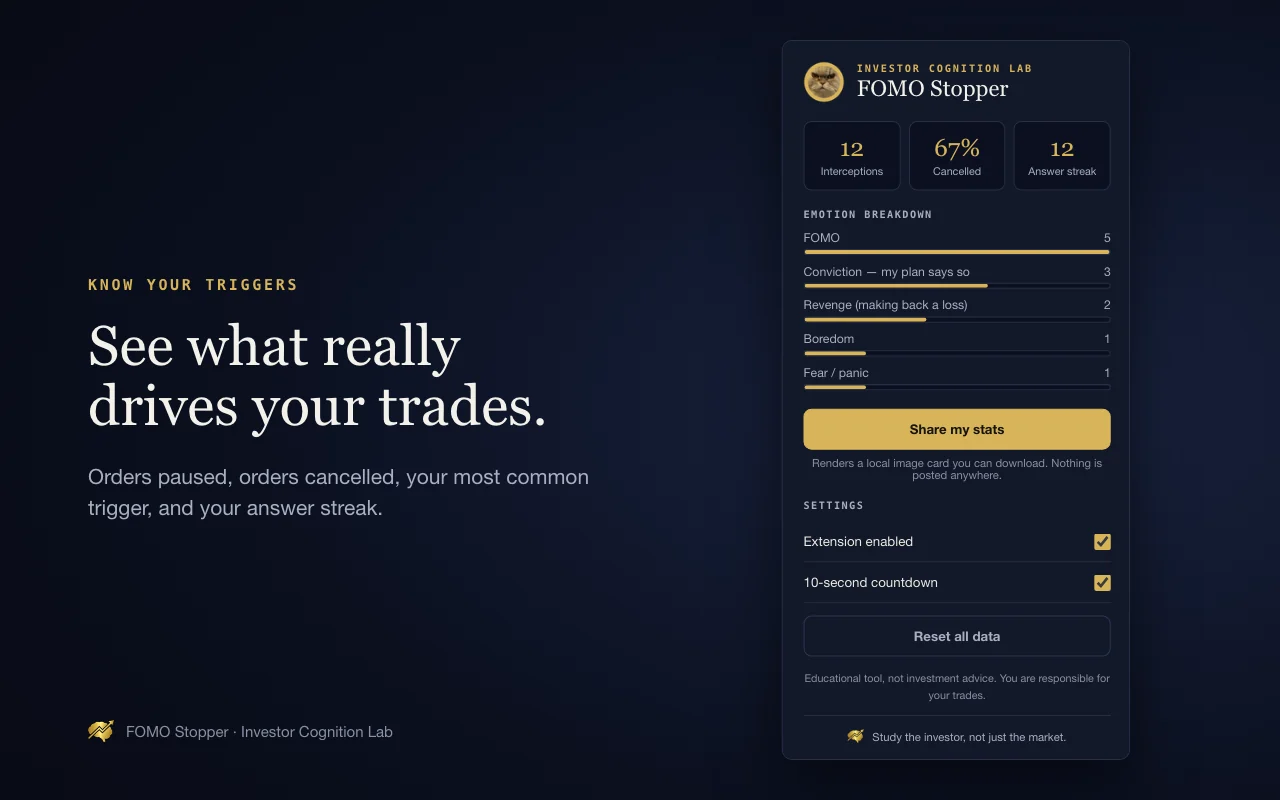
YOUR NUMBERS
The toolbar popup shows how many clicks you paused, how many you cancelled, your most common emotional trigger, and your answer streak.
Download a stats card to share your progress. Nothing is posted for you.
The numbers in the screenshot are example data.
PRIVATE BY DESIGN
Answers and stats stay in Chrome’s local storage. No extension account or data server.
No balances, positions, or order history. It inspects the clicked button and its surrounding elements to recognize an order action.
Runs on TradingView pages with the storage permission. No extension tracking or analytics.
When a button is not recognized, the extension leaves that click alone. TradingView updates can change which actions it detects.
The extension’s source code is public under the MIT license. You or someone you trust can inspect how it handles clicks and stores data.
View the source code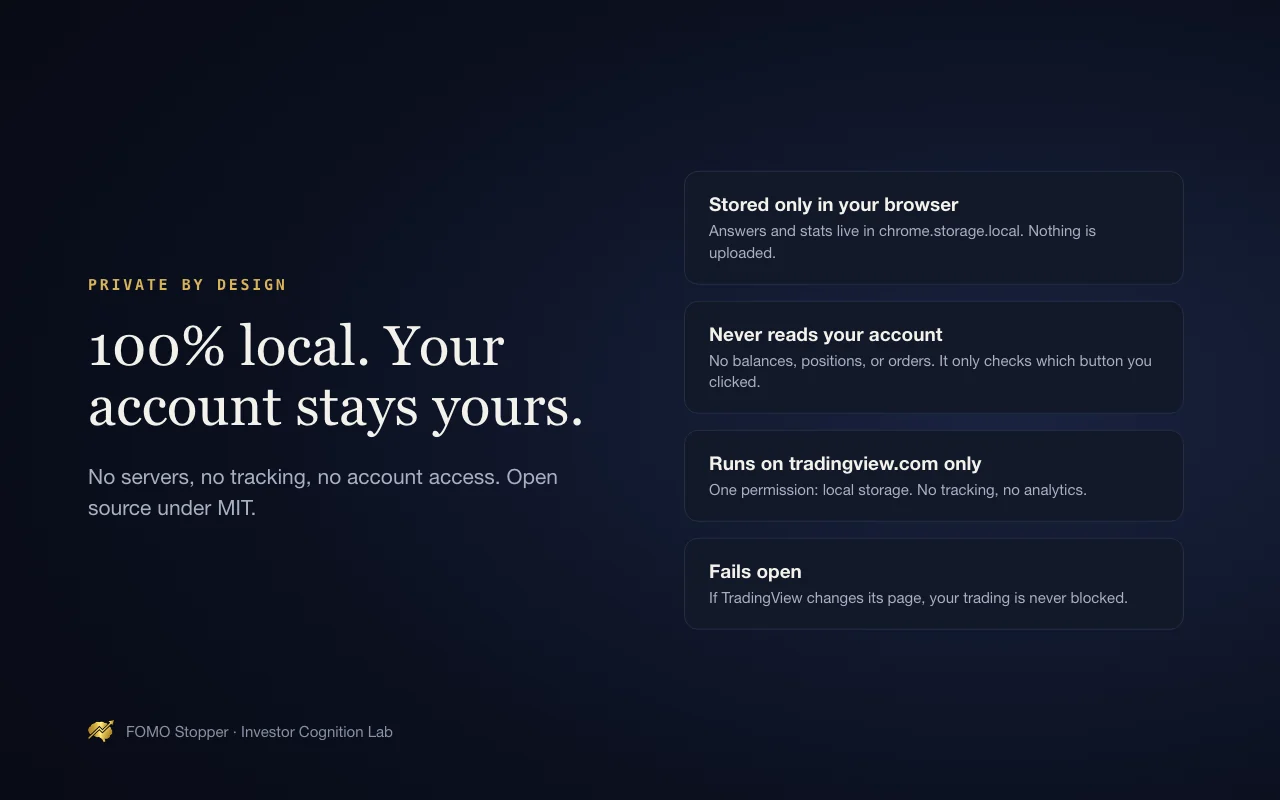
BEFORE YOU INSTALL
Yes. FOMO Stopper is free, with no account and no upsell inside the extension.
On TradingView’s website in Google Chrome on desktop, including Paper Trading. It does not run in the TradingView desktop app or on mobile.
It is designed for supported Buy and Sell submit buttons in TradingView’s order panel. Broker panels and order-entry methods vary, so interception is not guaranteed for every broker or action. Start with Paper Trading to check the exact workflow you use. The extension never connects to your broker.
For a supported click, you can cancel or continue after answering the questions. The optional countdown lasts 10 seconds. You can turn off the countdown or disable the extension from the toolbar. Unrecognized buttons, keyboard shortcuts, and orders triggered before a click may not be intercepted.
It does not read balances, positions, or order history. It inspects the clicked button and its surrounding elements to recognize an order action. Answers and settings are stored in your browser, and the extension has no analytics or background data uploads. YouTube links open only when you choose to click them.
No. FOMO Stopper is an educational tool. It does not recommend any trade, and you are responsible for your own trades. Read the full disclaimer.
The pause is deliberate, so prices can move before your order is sent, and the extension may not catch every order after a TradingView update. It is a habit tool, not a risk-management tool. Try it with Paper Trading first. Read the full disclaimer.
No. FOMO Stopper is an independent tool by Investor Cognition Lab and is not affiliated with or endorsed by TradingView.
Yes. FOMO Stopper’s source code is public under the MIT license, so you or someone you trust can review its behavior and privacy implementation. View the source code.
SUPPORT
Email fomo_cat@investorcognitionlab.com. If the pause stops appearing, tell us which TradingView panel and action you used so we can investigate.
TRAIN BEFORE THE TEST
Educational tool, not investment advice. You are responsible for your trades. Disclaimer · Privacy